Creating an Account
To submit any permit applications or compliance data via the Permitting site, you will need to create a user account. The registration process requires entering your contact details to complete your user profile.
Creating an Account
Follow these steps to create an account:
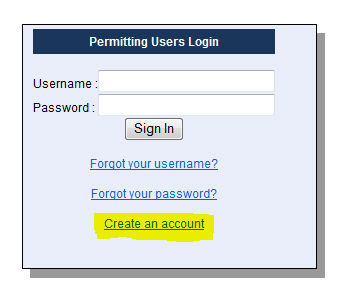
Step 1: Navigate to Create an Account
From the Home Page, navigate to Sign In and select Create An Account.
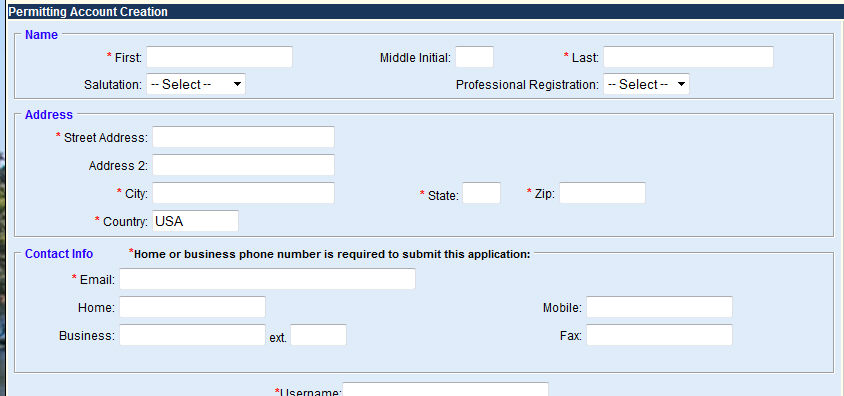
Step 2: Enter your contact information
Complete the Name, Address and Contact Info sections. The red asterisk (*) indicates information that is required. Though the phone number fields are not marked as required, you must enter either a Home or Business phone number.
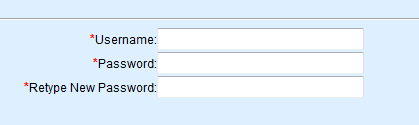
Step 3: Choose a User Name and password
You’ll use your User Name and password every time you sign in to NWFWMD Permitting.
Step 4: Agree to the Electronic Account Agreement
This section begins as follows:

Please read through the agreement. At the end, there is a checkbox which you can click to indicate your acceptance. Please click beside the phrase "I agree to the above" and then click the Submit button to create your new ePermitting account.
 a.
Click on click here.
a.
Click on click here.
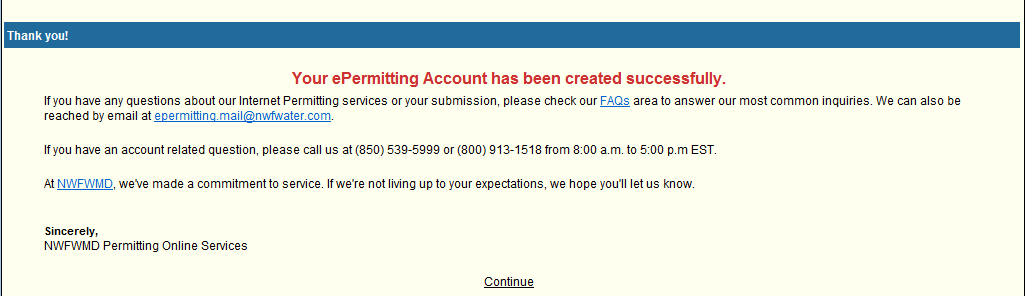
Step 5: Click Continue
a. You will receive a Thank You page confirming receipt of your changes.
b. Click Continue to return to the Home Page.
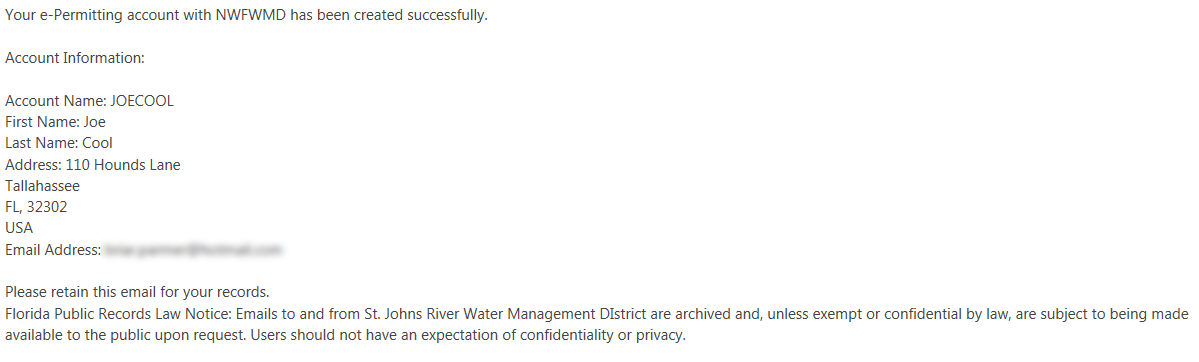
Step 7: View your confirmation e-mail
You will receive an e-mail confirming your newly created account:
Related Help topics
 Take a guided tour of the registration process.
Contact Customer Support
 If you're
looking for more help or have a question to ask, please contact
us.
If you're
looking for more help or have a question to ask, please contact
us.